
Online Menu Maker for Restaurants, Dine-Ins, Delivery & Take-Outs
Create a digital menu for your restaurant connected to a point of sale system so you can accept orders placed at the table, counter and delivery. No commissions or order limit
Have more than an ordinary menu: a digital menu to modernize and transform your service
Serve your guests well online and offline. Enjoy a world of possibilities with our system. Use a modern menu and make the order process easier.
Add Menu Items
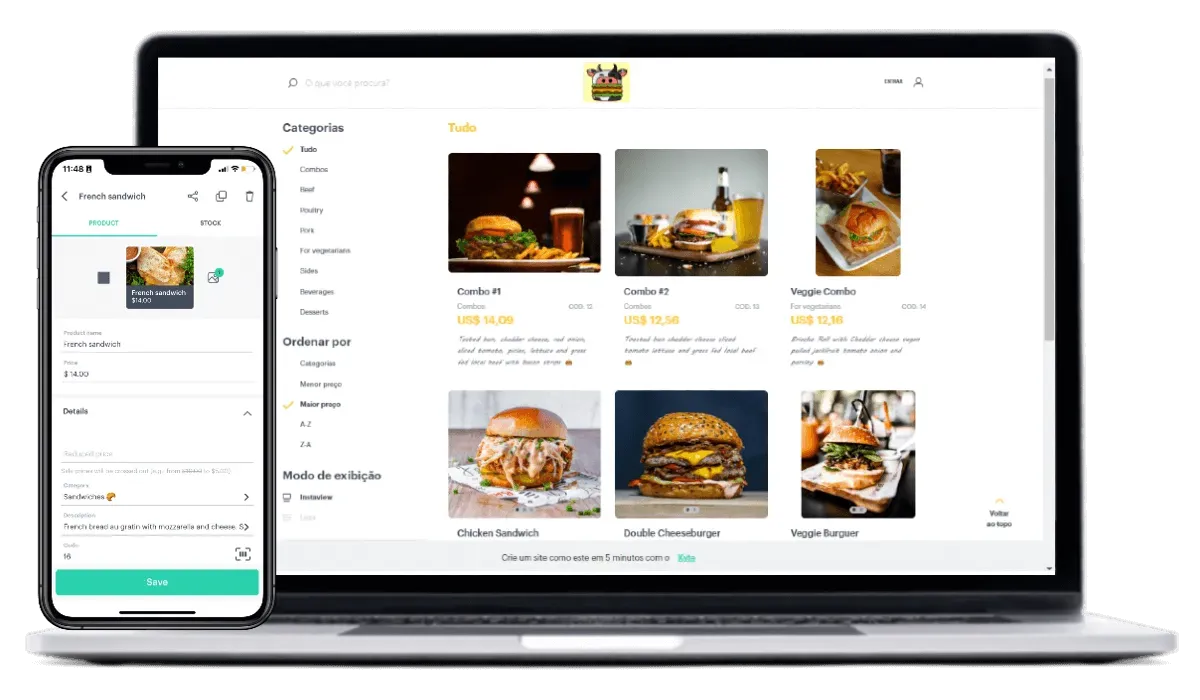
Include your menu items with detailed descriptions, appealing images, and transparent pricing. This step ensures customers have all the necessary information to make informed decisions, leading to higher sales and improved customer satisfaction.
Personalize the Menu Design
Craft an attractive and user-friendly online menu that highlights your restaurant’s offerings, showcases your dishes and improves the customer experience, encouraging more orders and increasing satisfaction.
Start Taking Online Orders Today
Preview and Launch
Before going live, preview your menu to ensure it looks perfect and functions smoothly. This final review allows you to catch any errors and make adjustments, ensuring a professional presentation when your menu is published.
Real-Time Dish Updates
Quickly add new dishes or update existing ones in real-time, ensuring your menu always reflects your current offerings. This flexibility allows you to respond to customer feedback and seasonal changes, keeping your menu dynamic and engaging
Implement Custom Fees
Set up custom fees for delivery, packaging, or other services to ensure transparent and fair pricing.
Set Up Delivery and Pickup
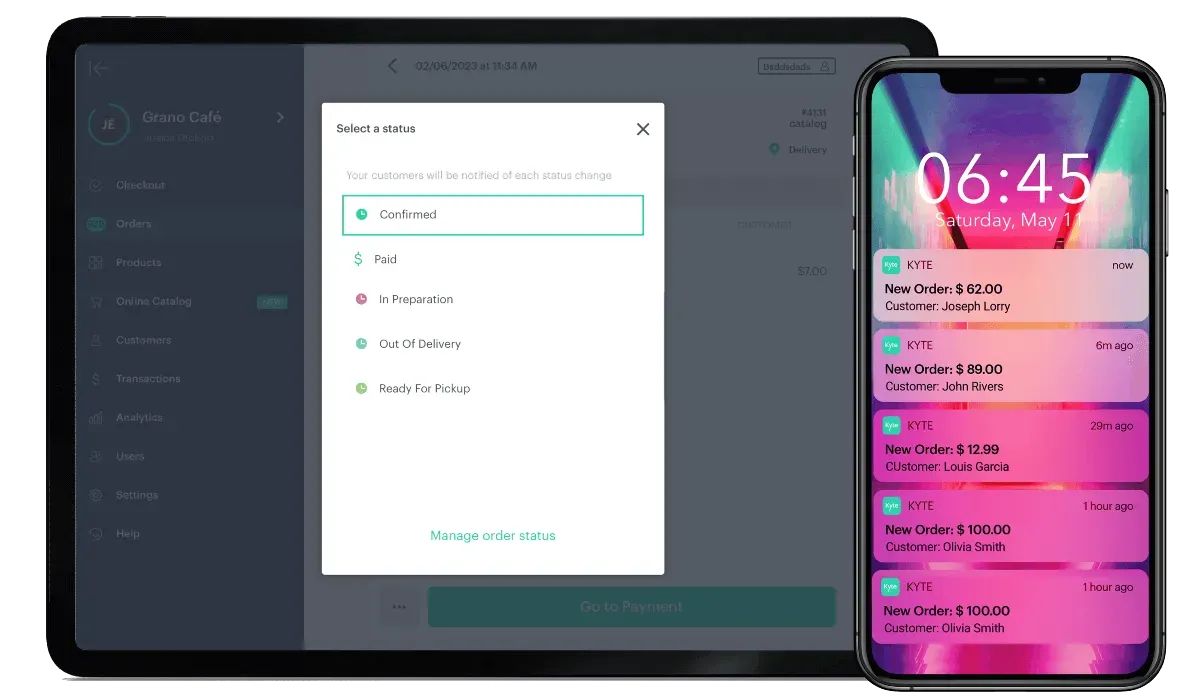
Create delivery and pickup ordering options to cater to your customers’ needs. Offering multiple ordering methods increases convenience, driving more orders and improving customer satisfaction.
Enable Online Orders
Provide a convenient and efficient way for customers to place orders by enabling online ordering. Online orders streamline the process, reduce wait times, and increase order accuracy, enhancing customer satisfaction and boosting sales.
Receive Orders via WhatsApp
Integrate WhatsApp to receive orders directly through the popular messaging app. This feature offers a familiar and user-friendly ordering method, making it easier for customers to place orders and stay connected with your restaurant.
The Tool You Need To Sell More
Social Media Integration
Connect your menu with social media platforms such as Instagram, Facebook and Google to promote your business, engage with customers and boost orders.
Ready to get going?
We sure are. Let's get you ready to own all aspects of your business.
Explore What's New at Kyte
New tools, improved features and stability so you can focus on boosting your business wherever you go.

Smart Assistant
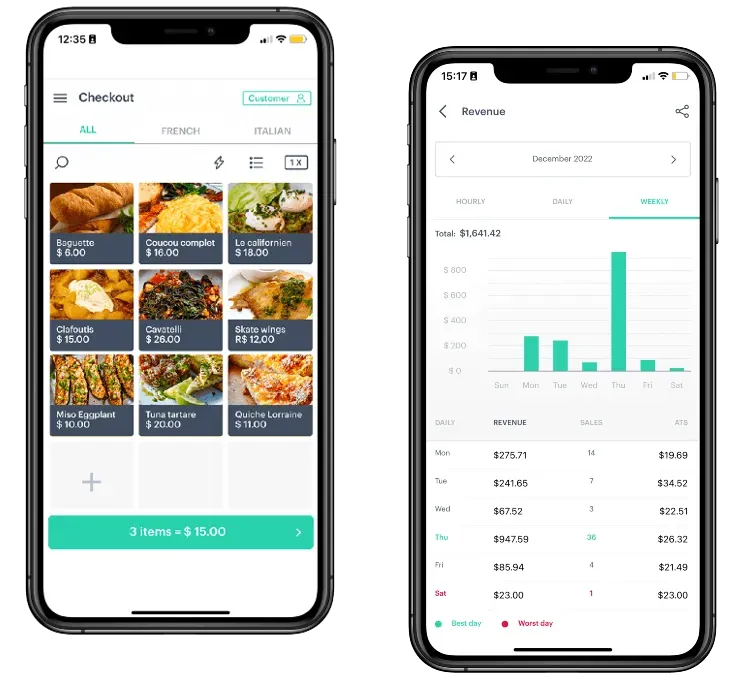
Use AI to analyze real business data from and turn sales, inventory, and customers into clearer day-to-day decisions.

Automatic Registration
Kyte helps you organize your store with much less effort right from the app, reducing manual work and speeding up tasks.

New Buyers
This feature shows who just bought from you and makes it easy to reach out directly via WhatsApp.
What Kyte Users Say
Check out the reviews of some of our customers who are taking charge of their own business.
We've Got a Plan That Fits Your Business
Kick things off today and snag a free 7-day trial of our GROW plan to test and enjoy.
PRO
Ideal for those who want to professionalize.
Get started- Main features:
- Mobile point of sale (POS)
- Online catalog
- Digital and printed receipts
- Inventory management
- Credit sales management
- Full cash flow management
GROW
Growing businesses looking for agility.
Get started- Everything in the PRO plan, plus:
- Kyte Web, the desktop version
- 2 variations per product
- Bulk product import
- 10 users / sellers
- Supplier management
- Recurring expense management
PRIME
For businesses looking for personalized service.
Get started- Everything in the GROW plan, plus:
- Onboarding video call to help you get started with Kyte
- WhatsApp support
- Priority support during the week
- Saturday support
- Unlimited users / sellers
- The full version of Kyte
Frequently Asked Questions
The main questions about the product and subscription options.
Ready-made AI help for your store
The Kyte Blog
Tips, guides and news for small retail, straight from Kyte

Why Does Having a Custom Website Can Increase Your Chances of Profit?
By using your own page for your store, you get in touch with the customers and show that your business is very professional

Inventory control checklist to fill out right now
A simple inventory template to copy, fill out, and use to organize incoming stock, outgoing stock, and restocking without overcomplicating things.

Management kit for a cosmetics store: 6 things your app needs
Does your app organize variations, inventory, orders, and repeat purchases? See what a cosmetics store really needs day to day.

Omnichannel: how to integrate physical inventory with a catalog
See how to integrate physical inventory with a digital catalog and sell in-store and on WhatsApp without price, order, or stock mismatches.

Digital vs printed receipts: what do your customers prefer?
See when customers prefer digital or printed receipts and how to choose the best format without creating extra work in your store

3 sales-data signals that tell you what you should restock right now
Days of inventory, demand spikes, and ABC analysis: the 3 signals your sales data shows when it is time to restock, without spreadsheets or analysts