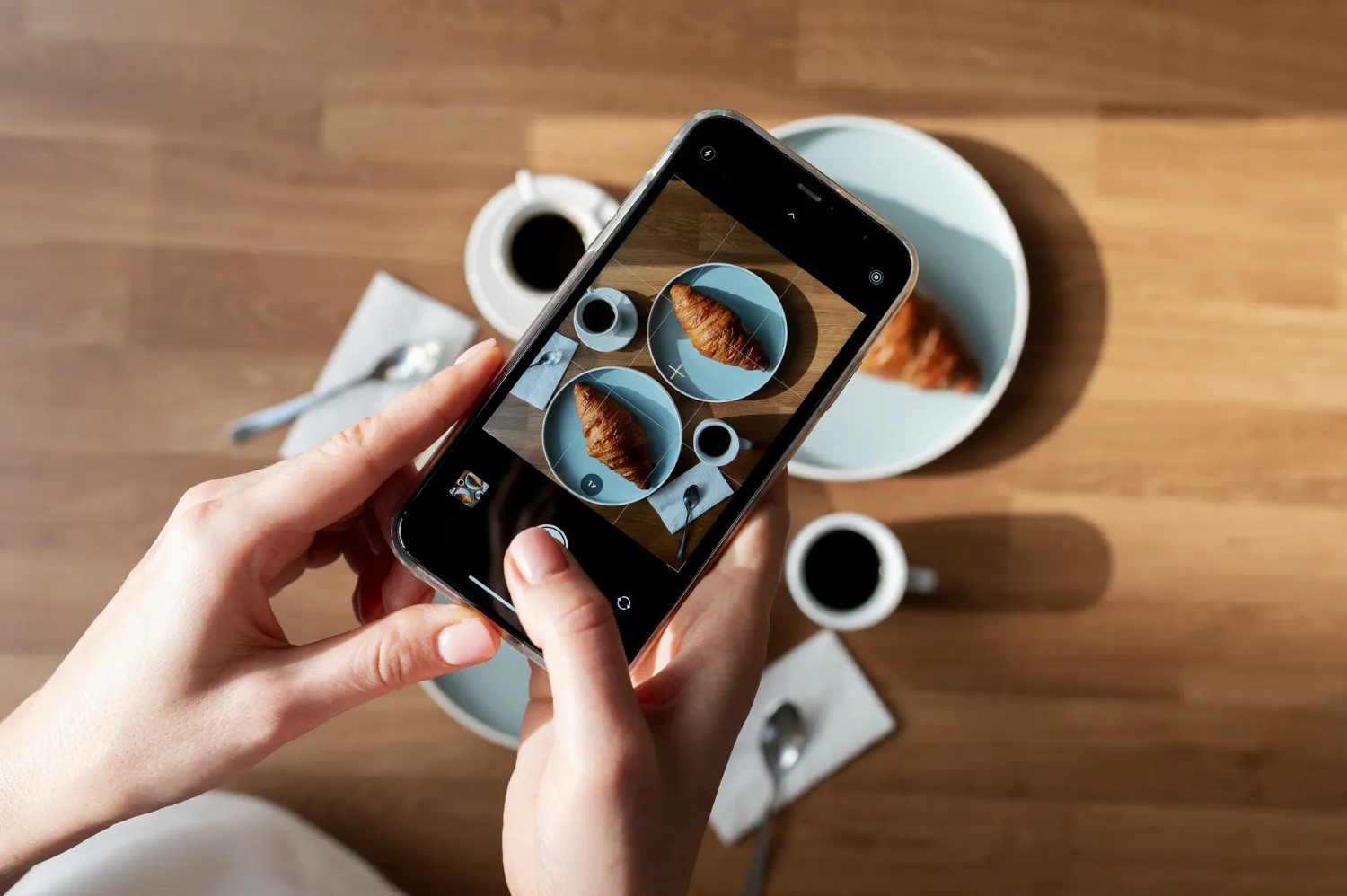
Turning phone photos into studio-quality product images no longer requires a big budget or a specialized team. You choose an AI tool such as Midjourney, Shutterstock Creative Flow+, or Deep Dream Generator and build the prompt with a technical structure.
With specific prompts, AI can simulate realistic light, contact shadows, and natural reflections. Those details often make the difference between a photo that sells and one that pushes shoppers away.
Learning prompt structure is the real shortcut. When AI understands the physics of light, the same principle used in high-end animation and VFX, you can get a polished result without opening Photoshop.
When you apply it well, the image can look close to a real studio shot. A burger photographed on a messy side table can turn into a premium menu image in minutes.
Most bad results come from vague prompts, not from the tools themselves. Store owners write generic prompts such as "improve this photo" and end up with floating products, fake colors, and plastic-looking textures.
The tutorial below shows how to use each tool, with ready-to-use prompts for food, fashion, home decor, and other segments. You will learn the structure professionals use, avoid the mistakes that make an AI image obvious, and get photos that build trust at first glance.
How AI Handles Your Marketing Photos
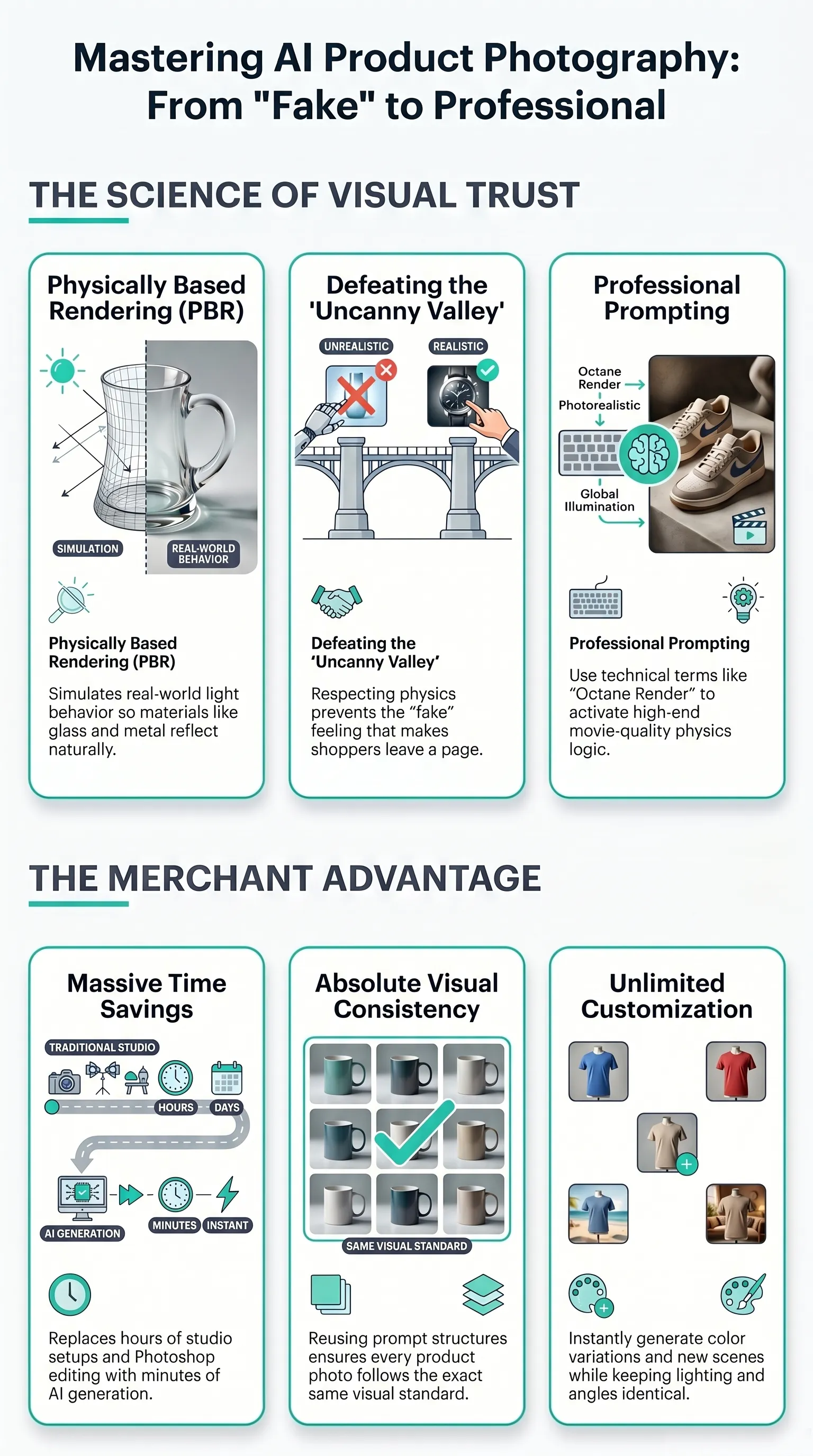
Computational photography became widely accessible in 2026. What used to belong only to film studios is now available to any merchant through techniques such as PBR, or Physically Based Rendering, which simulates real-world light behavior.
When you add terms like "Octane Render" or "Unreal Engine 5" to a prompt, you activate the same kind of physics logic used in major movie productions. Glass reflects differently from fabric, polished metal creates sharper reflections, and contact shadows appear darker than cast shadows.
A photo with a generic prompt looks fake and plastic. A photo with the right technical parameters can fool the eye, and the brain does not catch the flaws because the laws of physics are being respected. That helps avoid the uncanny valley, that feeling that "something is off" which makes shoppers leave the page within seconds because the image does not feel trustworthy.
AI-generated photography is also a new way to build catalog images. Instead of hiring a photographer, you direct the platform like the person guiding the image setup, with precise technical instructions. The result is time savings, visual consistency, and unlimited variations of the same product.
Huge Time Savings
What used to take hours in a studio plus more editing time in Photoshop can now take minutes with the right prompt. Even if you still make a few adjustments, it is much faster than traditional photography.
Consistent Visual Quality
When you reuse the same prompt structure and technical parameters, every image in the catalog follows the same visual standard. Different photographers or shoots on different days rarely deliver that level of consistency.
Unlimited Customization
Need the same blouse in five colors? AI can generate every variation while keeping the lighting, angle, and background identical. You can change colors, create new scenes, and test different directions from your phone.
Next, take a look at three tools that can do that consistently. Not all of them are free, but most offer trial periods so you can test before paying.
Tool 1: Midjourney
Midjourney is the most popular option for creating creative variations while still staying close to the original product. It runs through the Discord app and works on a subscription model, with plans starting at $10/month for basic use. The fine control comes from specific technical parameters.
Why Midjourney Stands Out
Three strengths explain Midjourney's popularity. First, the natural visual quality: even without highly polished prompts, the results often come out appealing.
Second, the advanced parameter system, which lets you control image ratio, stylization level, and image weight, all of which matter when you need both realism and fidelity.
Third, the active community: millions of users share prompts and techniques every day, which creates a large collection of shared examples.
Its subscription tiers are Basic ($10/month, roughly 200 image generations), Standard ($30/month, unlimited slower generations), and Pro ($60/month, top speed). For a small merchant, the Basic plan usually covers around 40 to 50 products per month.
How to Use Midjourney for Studio Product Photos
The --iw (Image Weight) parameter works like a balance between the original photo and the prompt text.
When you upload a product photo and pair it with a prompt, --iw decides which side has more influence:
--iw 2.0copies the original photo much more closely and ignores part of the creative prompt text, which gives you maximum fidelity to the real product.--iw 0.5treats the original photo as loose inspiration and leans harder into the prompt text, which gives you more artistic freedom.
For product photos that need to stay as close to reality as possible, use --iw 2.0. For example, take a phone photo of your blue silk dress, even if the background is a cluttered wall. Upload it to Midjourney and use a prompt like this:
Silk blue dress, detailed fabric weave with soft folds, professional studio photography, clean white background, softbox lighting from 45 degrees, eye-level shot, 8k resolution, photorealistic --iw 2.0
The --iw 2.0 keeps the exact shape of the dress, the blue tone, and the silk details, while mainly improving the light and replacing the background with a studio setup. Without that specification, the AI may hallucinate and create a different dress, and shopper trust disappears.
Midjourney's master prompt technique follows a six-part structure:
[Product] + [Material/Texture] + [Lighting] + [Scene] + [Angle] + [Parameters]
Each part serves a role. "Detailed fabric weave" pushes the AI to render the actual texture. "Softbox lighting from 45 degrees" simulates professional studio lighting. "8k resolution, photorealistic" triggers the highest quality mode.
If you do not know how to build the prompt, you can ask Gemini or ChatGPT to generate the prompt based on what you want.
Tool 2: Shutterstock Creative Flow+
Shutterstock Creative Flow+ is the alternative for people who already use stock assets and want to integrate generative AI into a broader visual workflow. Its biggest advantage is guaranteed commercial licensing: every image generated inside the platform can be used commercially without extra copyright worries.
Why Shutterstock Creative Flow+ Stands Out
Three points explain why this tool beats Midjourney in some scenarios. First, native integration with Adobe Creative Cloud: you can generate images directly inside Photoshop or Illustrator. Second, a library of ready-made templates for stores, with frames, backgrounds, and compositions already tested by other users. Third, commercial-use legal coverage, with a license certificate for every generated image.
If you sell in marketplaces such as Amazon, where image-rights issues can get listings removed, that gives sellers fewer copyright problems to worry about.
Creative Flow+ works as an extension of a regular Shutterstock subscription. You pay the monthly plan, starting at about $29/month, and get credits for AI image generation plus access to the standard image library.
The main difference from Midjourney is its focus on a broader design process: you can also make banners, social media posts, and other marketing assets.
How to Apply Creative Flow+ in Your Business
The workflow in Creative Flow+ is more visual and less technical than in Midjourney. Instead of writing detailed prompts, you start by choosing a ready-made template such as "product photography white background."
Then you upload the phone photo. AI removes the background, adjusts the light, and places the product into the template.
To turn a phone snapshot into a catalog image with Shutterstock Creative Flow+, use this flow:
That visual interface is the easiest route for anyone who does not know prompt writing well. You do not need to understand terms like "Octane render" or "Global Illumination." The AI applies those ideas under the hood when you choose a setting such as "Professional Studio Lighting" from the menu.
Creative Flow+ can also connect with e-commerce platforms such as Shopify and WooCommerce. You generate the photo, click "Send to Shopify," and the image appears in your digital catalog without manual download or upload.
Tool 3: Deep Dream Generator
Deep Dream Generator is the free option, with paid plans available, for anyone who wants to test generative AI without committing money right away.
It became known for turning images into artistic creations through the "DeepDream" idea that Google popularized. Today it also includes models for text-to-image composition and for transforming existing images.
For catalog work, DDG shines inside the image-to-image workflow with directed prompts: you start from a real product photo and ask for controlled changes in light, scene, and background, which gives the AI less room to invent extra details.
Why Deep Dream Generator Stands Out
Deep Dream runs on a refillable points system and offers Basic, Advanced, Professional, and Ultra plans, with different point levels, recharge speeds, and daily image limits.
You can start small and scale as your catalog volume grows. Its main advantage over Midjourney and Shutterstock Creative Flow+ is the zero-cost starting point, which lets you validate the tool for your business segment before paying for a plan.
How to Use Deep Dream Generator with Image-to-Image Logic
Image-to-image, or Img2Img, is one of the safest ways to preserve fidelity in the composition. Instead of creating an image from scratch, which gives the AI more room to hallucinate, you start with a real phone photo and ask it only to refine the light and replace the background while keeping the geometry intact.
DDG itself describes this as using an uploaded image as the starting point to generate results that still reflect the original concept. With a real photo as the base, the final image feels less plastic and less detached from reality.
To use Img2Img without losing the product identity:
The negative prompt is required in Deep Dream Generator. Without it, the AI may add ghost text, fake watermarks, impossible distortions, or even turn the photo into an illustration.
The negative prompt acts like a safety filter: you list what you do not want, and the AI avoids those elements.
To protect your brand identity, use image-to-image instead of generating from scratch. If you generate a fully new image, the AI may invent details that do not exist in the real product. A blouse might gain extra pockets, or a burger might show ingredients that are not on your menu. With image-to-image, the original geometry stays intact and the product page looks more believable.
Integration with E-commerce Platforms
All three tools can fit into your online sales workflow, but they offer different levels of automation.
Shutterstock Creative Flow+ leads in native integration, with official plugins for Shopify, WooCommerce, and more. You can push the image directly into your digital catalog.
Midjourney and Deep Dream Generator require a manual flow: generate the image, download it, and upload it into your catalog or store platform.
If you sell on marketplaces such as Amazon or Shopee, the critical point is commercial-use licensing. Shutterstock gives you a legal certificate for each generated image, which helps protect you from listing takedowns over copyright issues.
Midjourney allows commercial use only on paid plans. Deep Dream Generator allows commercial use on all accounts, but without a formal certificate. For your own website, that may be enough. For marketplaces, it can be risky.
Here is the quick breakdown:
- Midjourney: ideal for creative variations and visual concept testing.
- Shutterstock Creative Flow+: best for sellers in marketplaces that require licensing and want fewer copyright headaches.
- Deep Dream Generator: best for processing large volumes of simple product images without formal license documentation.
Extra: 25 More Tools for Professional AI Product Images
The list below brings 25 more tools that can turn product photos into polished visual assets.
- DALL·E 3 (OpenAI)
Generates realistic images from text with strong prompt understanding. - Stable Diffusion
Flexible, customizable models for many different image styles. - Leonardo AI
Refined conceptual images with a strong focus on art and design. - Bing Image Creator
A Microsoft-integrated generator for fast text-to-image work. - Canva AI
The popular design platform now includes AI for image generation and design work. - Playground AI
A flexible platform to generate, edit, and vary images with AI. - Dream by WOMBO
An intuitive generator for artistic images with several visual styles. - StarryAI
Image creation with style personalization and prompt controls. - Craiyon
A free tool that generates images from words without much setup. - Magnific AI Image Generator
Combines image enhancement and generation with multiple models. - Nano Banana Pro
An advanced generator inside Google's ecosystem focused on realistic output. - Flux
Image generation and editing with strong technical control. - Adobe Firefly
Integrated with Creative Cloud and built for professional design use with commercial licensing. - Recraft AI
Focused on AI-generated vectors and icons, useful for brand design. - Ideogram AI
Strong for images with typography and complex visual composition. - ChatGPT Images
Generates images through conversation, with iterative refinement. - KREA
Good for exploring visual styles and references in a collaborative way. - iPosts.ai
Combines image generation with marketing workflows, useful for social media visuals. - Imagiyo AI
A platform with flexible style and format controls. - PhotoRoom
Focused on product photos and AI editing for commercial-ready images. - ImgUpscaler AI
Turns text into photo-style images and improves details such as lighting and texture. - Arting AI
A free, no-signup option for generating images in styles ranging from realistic to anime. - PhotoEditorAI Image Generator
Creates visuals from text with strong prompt understanding, editing options, and fast output. - Vmake AI
Turns text ideas into images and includes internal editing tools. - Raphael AI
Free, no signup, and no usage limits. It combines multiple models to deliver hyper-realistic or stylized images with strong text interpretation.
Conclusion
Turning phone photos into studio-quality images is no longer something reserved for major brands. The gains come from using AI with structure, not from using it at random. It is respecting the physics of light through structured technical prompts.
The six-part structure, Product + Material + Lighting + Scene + Angle + Parameters, is what separates amateur output from professional output. When you ask for commands tied to those points, you trigger real physical simulation, the same kind of logic used by production studios. The images look reliable instead of fake.
Start by applying the technique to three to five products in your catalog. Use the ready-made prompts for your segment and only swap in the specific product details. Compare your conversion before and after. The visual difference will show up in the numbers.
Small stores can already use this to improve product photos today. It is a competitive advantage you can use right now.
FAQ
How do I choose the best AI tool for my catalog?
Compare your goal first. Midjourney balances creativity and fidelity, which makes it useful for variations. Shutterstock Creative Flow+ adds commercial licensing and marketplace-friendly workflows. Deep Dream Generator lets you test without upfront cost.
Which prompts make the image look like a studio photo instead of fake AI art?
Use the structure "Product + Material + Lighting + Scene + Angle + Parameters," specify setups such as "softbox lighting 45°," ask for high resolution such as 8K, and include technical commands such as "photorealistic" so the AI respects the physics of light.
How do I stop AI from inventing extra details?
Work with image-to-image, meaning upload the real photo, and use medium or high weight parameters, such as --iw 2.0 in Midjourney, to preserve the original shape, color, and proportions. That lowers the risk of floating objects and nonexistent elements.
Is there any free AI photo platform?
Yes. Some tools are free, and others offer trial periods. Use that time to validate which one performs best for your business segment before paying for a subscription.
How do I guarantee commercial use rights for AI-generated images?
It depends on the platform. Shutterstock Creative Flow+ provides a commercial-use license certificate. Midjourney allows commercial use only on paid plans. Deep Dream Generator allows commercial use without a formal certificate, which may be risky on marketplaces such as Amazon.